Small AI, Big Impact: How SMEs Can Use AI Without Big-Tech Budgets
You don’t need a huge AI budget. Learn how small models and small, focused AI projects help SMEs save time, protect data and see results in weeks.
Most AI headlines are about giant models, billion-dollar data centres and tech companies racing each other. For a small or mid-size business, that story can feel far away — or even intimidating.
The good news: the AI that actually helps an SME is usually small. Small in the models it uses, small in scope, and small in the first investment. A focused assistant that answers your customers’ top 20 questions, or a workflow that drafts your weekly report, can save hours every week without a big-tech budget.
This article explains what “small AI” means, where it works best in SMEs, and how to start in 30 days.
What “small AI” means
“Small AI” has two meanings, and SMEs benefit from both.
1. Small models. Alongside the very large language models, there is a growing family of small language models (SLMs). They are trained to be compact and efficient, and they can often run on a company’s own server, a private cloud, or even a laptop. For narrow tasks — classifying emails, extracting data from invoices, answering questions from a fixed set of documents — a small model can be fast, cheap to run and good enough.
2. Small projects. Instead of a company-wide “AI strategy”, you pick one repetitive task, automate it well, measure the result and then decide on the next one. Small projects are easier to fund, easier to explain to your team and much less risky.
Large models vs. small models: which one does your business need?
Neither is “better” — they fit different jobs. Many good solutions combine both: a small model for the routine work, a large model only when a task really needs it.
| Large language models | Small language models | |
|---|---|---|
| Strength | Broad knowledge, complex reasoning, creative writing | Fast, focused tasks with clear rules |
| Running cost | Higher per request | Lower, especially at high volume |
| Where it runs | Usually the provider’s cloud | Can run on your own server or private cloud |
| Data control | Depends on provider settings and contract | Data can stay fully inside your company |
| Typical SME use | Drafting proposals, summarising long documents | Sorting emails, extracting invoice data, FAQ assistants |
Practical uses of AI in SMEs
These are the use cases we see deliver value fastest in small and mid-size companies:
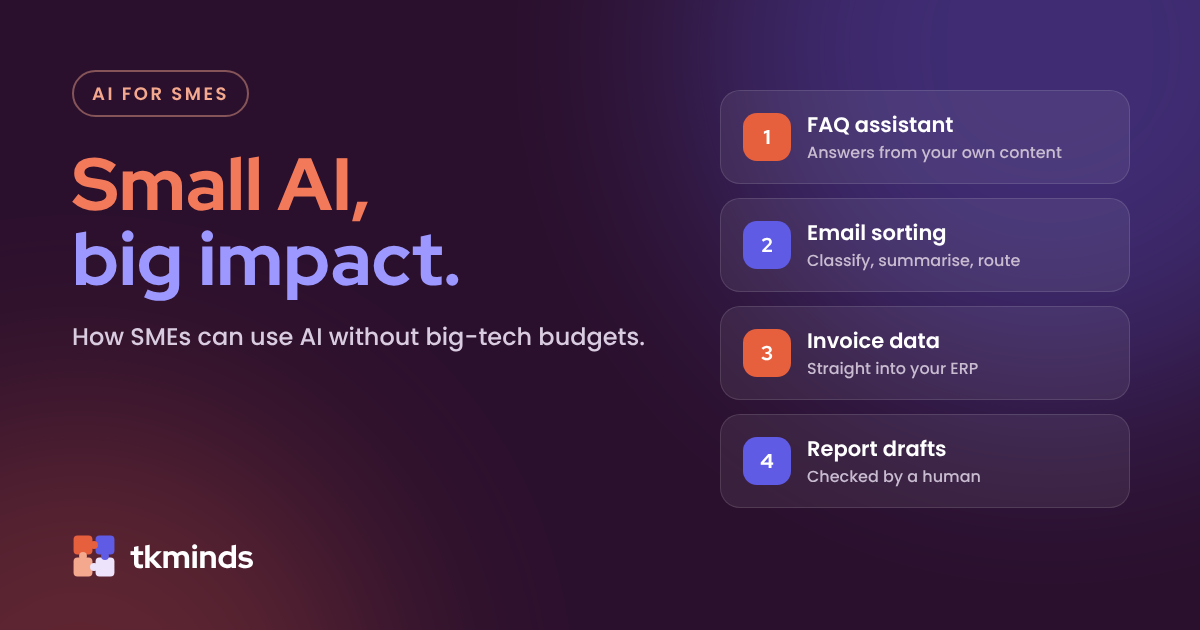
- Customer FAQ assistant. Answers common questions on your website or in chat, using only your own content. Hands over to a person when it isn’t sure.
- Internal knowledge assistant. Employees ask about policies, processes or product details and get answers from your documents — like EVE, the assistant we built inside our HR platform HR360.
- Email and request sorting. Incoming emails and forms are classified, summarised and routed to the right person automatically.
- Document data extraction. Invoices, orders or delivery notes are read and the key fields go straight into your accounting or ERP system.
- Report and proposal drafts. Recurring reports, quotes and follow-up emails are drafted automatically in your house style; a person checks before sending.
- Meeting and call summaries. Notes and action items are created after each meeting and added to your CRM or task tool.
What they have in common: the task is repetitive, the data already exists, and a human stays in control of the final result.
How to start: a 30-day plan
- Week 1 — Find the task. Ask your team to note every repetitive task for one week: copying data between systems, answering the same questions, building the same report. Sort the list by how often × how long.
- Week 2 — Check the data. For the top task, confirm where the data lives, who owns it and what data protection rules apply. Decide whether a small private model or a cloud model fits.
- Week 3 — Build a prototype. Build a simple working version for that one task, connected to the tools you already use. Keep a human review step.
- Week 4 — Test and measure. Let a few team members use it for real work. Measure time saved and error rate, collect feedback, then decide: roll out, improve, or stop.
After 30 days you have real numbers, not a slide deck — and a clear basis for your next AI investment.
Mistakes to avoid
- Starting with the tool, not the problem. Buying AI subscriptions before you know which task they should solve leads to tools nobody uses.
- Going too big too soon. A company-wide AI rollout in month one is expensive and hard to measure. Start with one task.
- Ignoring data protection. Know where your data is processed, whether the provider may train on it, and whether you have a data processing agreement in place.
- Removing the human completely. Let AI draft, sort and suggest; let people approve anything that goes to customers or affects money.
- Not measuring. Without a before-and-after number, you can’t tell whether the project paid off.
How TkMinds helps
At TkMinds we help SMEs put AI to work in small, measurable steps:
- Discovery workshop to find the task with the biggest payoff
- The right model for the job — small private models, cloud models, or a mix
- Integration with your existing tools: CRM, ERP, email, documents
- Data protection built in from the first day
- Two-week sprints with demos, so you see progress early
Curious where AI could save your team the most time?
Book a free 15-minute call and we’ll help you find your first small AI project.